
Licenties voor virtualisatiesoftware
Virtualization software runs other operating systems in virtual machines. Parallels Desktop and VMware Fusion run Windows on a Mac; VMware Workstation Pro runs virtual machines on a PC; vSphere virtualizes servers.
- 2
- 3
- 4
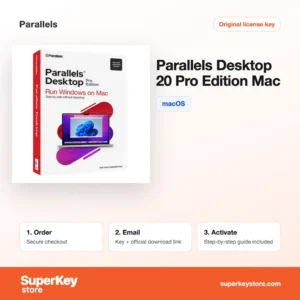
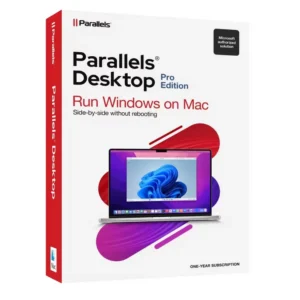
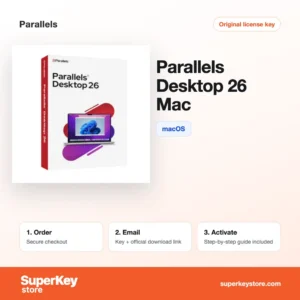
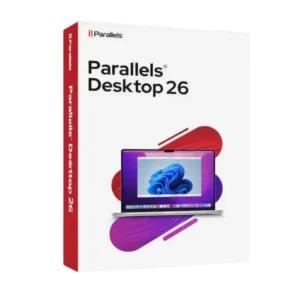
Buy Virtualization Software Licenses at SuperKeyStore
Virtualization software creates virtual machines: complete computers that run as windows inside your real one. Developers use them to test software on several systems, Mac owners use them to run Windows programs, and companies use them to run many servers on one physical host.
The category combines desktop tools such as Parallels Desktop 26 Pro for Mac en VMware Workstation Pro 17 for Windows with server products like VMware vSphere 8 Standard. After payment you get a license key and a link to the official download by email, usually within minutes.
Why buy a virtualization license?
A virtualization license is useful in several situations:
- Run Windows apps on a Mac: Parallels Desktop and VMware Fusion run Windows next to macOS, so you can use Windows-only software without restarting.
- Safe test environments: Snapshots let you try updates, software or settings and roll back in seconds if something breaks.
- Several systems on one PC: Workstation Pro runs Linux, older Windows versions and other systems side by side for development and training.
- Server consolidation: vSphere and ESXi run many virtual servers on one host, which saves hardware, power and space.
- Monitoring and packaging: vRealize Log Insight and Network Insight analyze logs and network traffic, and ThinApp packages applications to run without installation.
What are the main features of virtualization software?
Virtualization products share a set of core functions. The main ones are:
1. Coherence and Unity modes
Parallels Coherence and VMware Unity show Windows apps as normal Mac windows. Users switch between macOS and Windows programs without seeing the Windows desktop.
2. Snapshots
Every product here can save a virtual machine state and roll back to it. Testers and students use snapshots to undo mistakes.
3. Easy Windows setup
Parallels Desktop can download and install Windows 11 for you in a few clicks. Beginners get a working virtual machine quickly.
4. Shared folders and clipboard
Files, clipboard content and printers are shared between host and guest. Moving data between systems works by drag and drop.
5. Server virtualization
vSphere and ESXi host many server workloads on one machine. Companies reduce hardware and manage servers centrally.
6. Application virtualization
ThinApp runs Windows programs without installation. Administrators avoid conflicts between apps.
Think about where the virtual machines will run. A Mac owner who needs one or two Windows programs is best served by Parallels Desktop or Fusion. A developer on a Windows PC who tests several systems needs Workstation Pro. An IT department that hosts servers needs ESXi or vSphere and possibly the vRealize monitoring tools.
Which virtualization product is right for you?
On a Mac choose Parallels Desktop or VMware Fusion, on a Windows PC choose VMware Workstation Pro, and for servers choose vSphere or ESXi.
| Product | Best for | Platform | License/term |
|---|---|---|---|
| Parallels Desktop 27 Pro for Mac (1 Year) | Developers and power users on a Mac | macOS | 1 year |
| Parallels Desktop 26 for Mac | Home users running Windows apps on a Mac | macOS | See product page |
| VMware Fusion 13 Pro for Mac | Mac users working with VMware formats | macOS | See product page |
| VMware Workstation Pro 17 for Windows | Running several systems on a PC | Windows | See product page |
| VMware vSphere Hypervisor (ESXi) 8 | Hosting virtual machines on a dedicated server | Server hardware | See product page |
| VMware vSphere 8 Standard | Companies running a virtual data center | Server hardware | See product page |
What are the system requirements for virtualization software?
Desktop virtualization needs a modern 64-bit computer with enough memory for host and guest; server products need supported server hardware, so check each product's System Requirements tab.
| Requirement | Minimaal |
|---|---|
| Besturingssysteem | Parallels/Fusion: current macOS; Workstation Pro: Windows 10 or 11 (64-bit); vSphere/ESXi: supported server hardware |
| Processor | Apple silicon or Intel on Mac; 64-bit CPU with VT-x or AMD-V on PC |
| Geheugen (RAM) | 4 GB minimum, 8 GB or more recommended |
| Schijfruimte | About 600 MB to 1.5 GB for the program, plus space for each virtual machine |
| Other | Internet connection for activation; a separate license for each guest operating system |
Keep enough free disk space: each Windows virtual machine typically needs tens of gigabytes once updates and programs are installed.
How do you download and activate virtualization software?
- Order: Choose the product for your system and pay at checkout.
- Email: You receive the license key and download link, usually within minutes; a security check can take up to 24 hours.
- Download: Get the installer from the official Parallels or Broadcom VMware website.
- Activate: Enter the key in the program during setup, or in the license settings of vSphere or ESXi.
What happens to my virtualization software license if I reinstall or format my computer?
Parallels licenses are linked to your Parallels account, so you sign in again after a reinstall. VMware desktop and server products use keys that you enter again; your virtual machines are files, so restore them from a backup and open them.
Can I move a virtualization software license to a new PC or Mac?
Yes. Deactivate Parallels in your account or remove the VMware key from the old computer, then activate on the new one. Parallels and Fusion are Mac-only, while Workstation Pro is for Windows, so moving from a PC to a Mac requires a different product.
What if my Virtualization key does not work?
Send support an email with your order number and a screenshot of the license error. We provide a replacement key or refund the order according to the Terugbetalingsbeleid.
Frequently asked questions about virtualization
Can I run Windows on an Apple silicon Mac?
Yes. Parallels Desktop and VMware Fusion run the ARM version of Windows 11 on M-series Macs. Most x64 Windows apps work through Windows' built-in emulation.
Do I need a separate Windows license for a virtual machine?
Yes. The virtualization license covers the software only, so Windows inside the virtual machine needs its own license.
What is the difference between Parallels Desktop and the Pro edition?
The standard edition targets home use. Pro adds developer features such as more memory and CPUs per virtual machine and integration with tools like Visual Studio and Docker.
What is the difference between ESXi and vSphere?
ESXi is the hypervisor installed on a server. vSphere is the full platform around it, adding vCenter management and features such as live migration of virtual machines.
Can I use an older Workstation Pro version?
Yes. Versions 15 and 16 still run virtual machines, but version 17 supports newer guest systems and Windows 11 hosts better.
How much RAM do I need to run Windows on a Mac?
8 GB works for office apps, but 16 GB or more is better for heavier Windows programs.
Can I play Windows games in a virtual machine?
Many lighter games run, but games with anti-cheat software or heavy 3D needs often do not work well.
Is Parallels a subscription?
Parallels Desktop Pro is sold per year, and the standard edition is offered as a subscription or a perpetual license depending on the version.
Can I use virtual machines for Linux?
Yes. All desktop products here run common Linux distributions such as Ubuntu and Fedora.
More software categories
Add an operating system for your virtual machines from Windows-licenties of Windows Server-licenties & CAL’s.
Wat krijg je als je virtualisatiesoftware koopt bij SuperKeyStore?
Je ontvangt een e-mail met je licentiesleutel, de officiële downloadlink en stapsgewijze activeringsinstructies. Bij elke bestelling krijg je:
- Licentiesleutel: de productcode voor de editie, looptijd en het aantal apparaten op de productpagina.
- Officiële download: een link naar het installatieprogramma op de website van de fabrikant.
- Activeringshandleiding: de stappen om de software te installeren en te activeren, ook te vinden op het tabblad “Downloaden en activeren”.
- Bestelgeschiedenis: de key blijft beschikbaar in je bevestigingsmail en onder Mijn account.
- Ondersteuning per e-mail: hulp bij installatie of activering van ons supportteam.
Waarom softwarelicenties kopen bij SuperKeyStore?
SuperKeyStore verkoopt digitale licentiesleutels met levering per e-mail, veilig afrekenen en duidelijke regels bij een defecte key. Dit zijn de belangrijkste redenen om hier te bestellen:
- Digitale levering: geen verzending; de key komt doorgaans binnen enkele minuten na betaling per e-mail binnen, en sommige bestellingen krijgen een veiligheidscontrole die tot 24 uur kan duren.
- Duidelijke productinformatie: op elke productpagina staan de editie, het platform, de licentieduur en het aantal apparaten.
- Vervanging of terugbetaling: werkt een key niet, dan krijg je een werkende key of je geld terug, zoals beschreven in het Terugbetalingsbeleid.
- Veilig betalen: betalingen worden verwerkt door de betaalprovider; SuperKeyStore slaat geen volledige kaartgegevens op.
Andere softwarelicenties in de catalogus van SuperKeyStore
SuperKeyStore verkoopt ook licenties in deze categorieën:
- Windows-licenties: Windows 11-licenties · Windows 10-licenties
- Microsoft Office-licenties: Office 2024-licenties · Licenties voor Microsoft Office voor Mac · Licenties voor Microsoft Word, Excel en Office-apps · Microsoft Project-licenties · Microsoft Visio-licenties
- Microsoft 365-licenties
- Antiviruslicenties: Norton-antiviruslicenties · McAfee-antiviruslicenties · Bitdefender-antiviruslicenties · ESET-antiviruslicenties · Avast-antiviruslicenties · AVG-antiviruslicenties · Panda-antiviruslicenties · VPN-licenties · Licenties voor zakelijke beveiliging
- Windows Server-licenties & CAL’s: Windows Server-CAL’s en RDS-CAL’s · Microsoft SQL Server-licenties · Exchange & SharePoint Server-licenties
- Licenties voor CAD- en 3D-software: Autodesk-softwarelicenties · Graphisoft Archicad-licenties · SolidWORKS-licenties
- Licenties voor grafische en fotosoftware: Adobe-softwarelicenties · CorelDRAW-licenties
- Licenties voor PDF- en Office-tools
- Licenties voor back-up- en dataherstelsoftware
- Licenties voor video- en muzieksoftware
- Licenties voor virtualisatiesoftware
- Office- en Windows-bundels