
Office 2024 Licenses
Office 2024 is the newest one-time-purchase version of Microsoft Office. This category holds Home, Home & Business, Standard and Professional Plus for Windows and Mac.
- 2
- 3
- 4
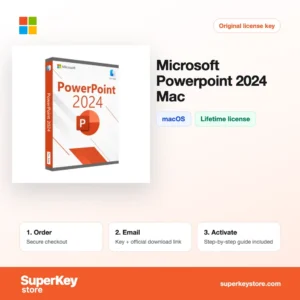
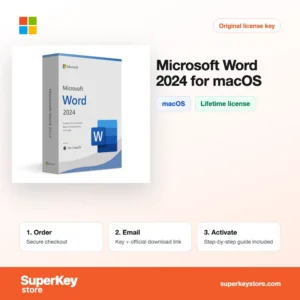
Buy Office 2024 Licenses at SuperKeyStore
Office 2024 was released by Microsoft in October 2024 as the successor to Office 2021. It is the current version for people who want to pay once and keep their Office apps, without a Microsoft 365 subscription. We sell complete suites such as Office 2024 Professional Plus and Office 2024 Home & Business, as well as single apps like Microsoft Excel 2024 for Windows.
Home users, students, freelancers and small offices are the typical buyers. Each order includes a product key and a link to download Office from Microsoft, sent by email and usually within minutes.
Why buy an Office 2024 license?
Office 2024 brings the improvements of recent years into a perpetual license. Key reasons to choose it:
- No subscription: You pay once and use the apps for as long as Microsoft supports the version, with security updates until October 2029.
- New Excel functions: Excel 2024 adds dynamic charts with dynamic arrays and new text functions such as TEXTSPLIT, TEXTBEFORE and IMAGE.
- Improved accessibility and design: The interface follows the current Windows 11 style, and the Accessibility Checker flags issues while you work.
- Better presentations: PowerPoint 2024 can record presentations with cameo video and adds closed captions to inserted videos.
- Works offline: All apps are installed locally and do not need a constant internet connection after activation.
What are the main features of Office 2024?
Office 2024 keeps the familiar apps and adds several improvements over Office 2021:
1. Word with improved accessibility
Word 2024 checks documents for accessibility problems while you type and recovers unsaved work more reliably. Students and offices producing reports benefit from fewer lost changes.
2. Excel with modern functions
Excel 2024 supports dynamic arrays, XLOOKUP, LET, LAMBDA and new text functions such as TEXTSPLIT. Analysts and accountants can replace long nested formulas with short readable ones.
3. PowerPoint recording and captions
PowerPoint 2024 records slide shows with presenter video and supports captions for embedded videos. Teachers and trainers can create self-running lessons.
4. Outlook with better search
Outlook in Home & Business and Professional Plus manages several email accounts and calendars, with quick search across folders. Small business owners keep all mail in one place.
5. Access databases
Office 2024 Professional Plus includes Access for building desktop databases with forms and reports. Companies with existing Access solutions need this edition.
6. Refreshed design
The apps follow the Windows 11 visual style with rounded corners and a cleaner ribbon. The theme can follow the system light or dark mode.
Which Office 2024 product is right for you?
Office Home 2024 suits private use, Home & Business adds Outlook and commercial use rights, and Professional Plus adds Access for Windows. Compare the main editions below.
| Product | Apps | Platform | License |
|---|---|---|---|
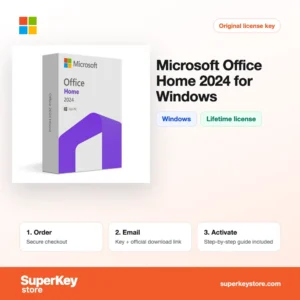
| Microsoft Office Home 2024 for Windows | Word, Excel, PowerPoint, OneNote | Windows | One-time, home use |
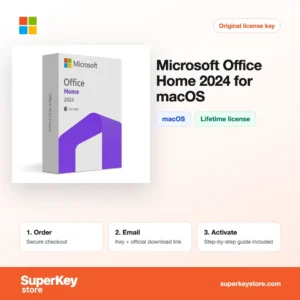
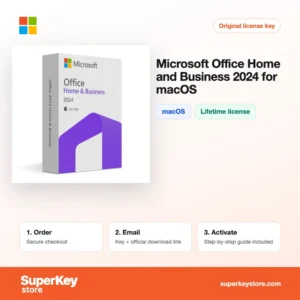
| Microsoft Office Home 2024 for macOS | Word, Excel, PowerPoint, OneNote | macOS | One-time, home use |
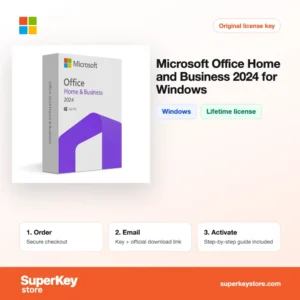
| Office Home and Business 2024 for Windows | Home apps plus Outlook | Windows | One-time, commercial use |
| Office 2024 Home & Business | Home apps plus Outlook | Windows and macOS | Lifetime (one-time purchase) |
| Office 2024 Standard for Windows | Word, Excel, PowerPoint, Outlook, OneNote | Windows | One-time, volume edition |
| Office 2024 Professional Plus | Standard apps plus Access | Windows | Lifetime, 1 PC |
If you need only one program, buy it on its own: Microsoft Word 2024 for Windows, Microsoft Outlook 2024 for Windows or Microsoft Access 2024 for Windows.
What are the system requirements for Office 2024?
Office 2024 runs on Windows 10 or Windows 11 and on the three most recent macOS versions; the table shows Microsoft's published Windows minimums.
| Component | Minimum |
|---|---|
| Operating system | Windows 10 or Windows 11; the three most recent macOS versions for Mac editions |
| Processor | 1.1 GHz or faster, 2 cores (Windows); Intel or Apple silicon (Mac) |
| Memory (RAM) | 4 GB on Windows and Mac |
| Disk space | 4 GB on Windows; 10 GB on Mac |
| Other | 1280 x 768 screen; internet connection and Microsoft account for activation |
How do you download and activate Office 2024?
- Order: Choose the edition for your operating system and complete checkout.
- Receive your email: We send the product key and download link by email, usually within minutes. Some orders get a security check of up to 24 hours.
- Download: Redeem the key at Microsoft's official Office setup page and download Office from your Microsoft account, or use the official installer link for volume editions.
- Activate: Open Word or Excel, sign in or enter the key under File, then Account, and Office activates online.
What happens to my Office 2024 license if I reinstall or format my computer?
Retail editions of Office 2024 are bound to the Microsoft account used when you redeemed the key. After a format, sign in at the Microsoft account page, download Office and sign in again; it activates automatically. Volume editions like Standard and Professional Plus are reinstalled with the installer and the same product key.
Can I move a Office 2024 license to a new PC or Mac?
Yes, account-bound Office 2024 can be moved: uninstall it on the old computer, then install it from your Microsoft account on the new one. Each license is for one device at a time. Mac and Windows editions are separate products unless the product name lists both platforms.
What if my Office 2024 key does not work?
Send support your order number and a screenshot of the Office activation message. We issue a new key or a refund on the terms of the Refund Policy.
Frequently asked questions about Office 2024
Is Office 2024 a lifetime license?
Yes, Office 2024 is a one-time purchase that does not expire. Microsoft provides security updates until 9 October 2029.
Does Office 2024 include Teams or OneDrive storage?
No, Teams is not included and there is no extra OneDrive storage. These come with Microsoft 365 subscriptions.
Can I install Office 2024 on Mac and Windows?
Most editions are for one platform, as shown in the product name. The Home and Home & Business lifetime editions listed for Mac & Windows can be installed on either system.
Is Office 2024 better than Office 2021?
Office 2024 adds newer Excel functions, a refreshed design and a longer support period. Files are fully compatible between both versions.
Does Office 2024 run on Windows 10?
Yes, Office 2024 installs on Windows 10 and Windows 11. On Mac it needs one of the three latest macOS versions.
Can I share Office 2024 with my family?
No, Office 2024 is licensed for one PC or Mac. Microsoft 365 Family is the option for sharing with up to six people.
Does Office 2024 receive new features?
No, Office 2024 receives security and quality updates only. New features go to Microsoft 365.
What is the difference between Standard and Professional Plus?
Professional Plus adds Access to the Standard apps. Both are volume-style editions for one Windows PC.
Can I use Office 2024 Home for my business?
No, Office Home 2024 is for private, non-commercial use. Choose Home & Business for work.
More Microsoft Office software
Older versions and other apps are in Microsoft Office Licenses. For a subscription with cloud storage see Microsoft 365 Licenses, and for a new PC see Windows Licenses.
What do you get after buying Office 2024 Licenses at SuperKeyStore?
You get an email with your license key, the official download link and step-by-step activation instructions. These items are included with every order:
- License key: the product key for the edition, term and number of devices named on the product page.
- Official download: a link to the installer on the developer's own website.
- Activation guide: the steps to install and activate the software, also shown in the Download & Activation tab.
- Order history: the key stays in your confirmation email and under My account.
- Email support: help with installation or activation from our support team.
Why buy software licenses from SuperKeyStore?
SuperKeyStore sells digital license keys with email delivery, secure checkout and a clear policy for faulty keys. The main reasons customers order here are:
- Digital delivery: no shipping; the key usually arrives by email within minutes of payment, and some orders get a security check of up to 24 hours.
- Clear product details: every product page states the edition, platform, license term and number of devices.
- Replacement or refund: if a key does not work, you get a working key or your money back, as set out in the Refund Policy.
- Secure payment: payments are processed by the payment provider; SuperKeyStore does not store full card details.
Other software licenses in the SuperKeyStore catalog
SuperKeyStore also sells licenses in these categories:
- Windows Licenses: Windows 11 Licenses · Windows 10 Licenses
- Microsoft Office Licenses: Office 2024 Licenses · Office 2021 Licenses · Office 2019 Licenses · Office 2016 Licenses · Microsoft Office for Mac Licenses · Microsoft Word, Excel & Office App Licenses · Microsoft Project Licenses · Microsoft Visio Licenses
- Microsoft 365 Licenses
- Antivirus Licenses: Norton Antivirus Licenses · McAfee Antivirus Licenses · Kaspersky Antivirus Licenses · Bitdefender Antivirus Licenses · ESET Antivirus Licenses · Avast Antivirus Licenses · AVG Antivirus Licenses · Panda Antivirus Licenses · VPN Licenses · Business Security Licenses
- Windows Server Licenses & CALs: Windows Server CAL & RDS CAL Licenses · Microsoft SQL Server Licenses · Exchange & SharePoint Server Licenses
- CAD & 3D Design Software Licenses: Autodesk Software Licenses · Graphisoft Archicad Licenses · SolidWORKS Licenses
- Graphic Design & Photo Software Licenses: Adobe Software Licenses · CorelDRAW Licenses
- PDF & Office Tools Licenses
- Backup & Data Recovery Software Licenses
- Video & Music Software Licenses
- Virtualization Software Licenses
- Office & Windows Bundle Licenses