
CorelDRAW-licenties
CorelDRAW is vector illustration and layout software. The Graphics Suite is the full version, Standard and Essentials are smaller editions, and the Technical Suite adds technical illustration tools.
- 2
- 3
- 4


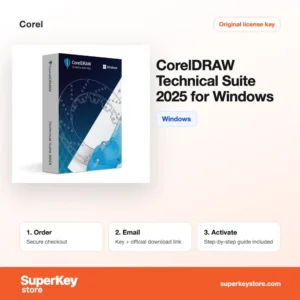
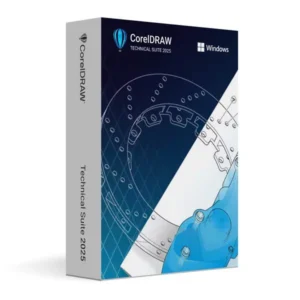
Buy CorelDRAW Licenses at SuperKeyStore
CorelDRAW has been used since 1989 for logos, signage, packaging, print layouts and vinyl cutting. Sign makers, print shops, illustrators and small marketing teams rely on it because it combines vector drawing, page layout and photo editing in one suite. The range on this page spans releases from 2019 to 2026 for both Windows and Mac.
Current options include CorelDRAW Graphics Suite 2026, CorelDRAW Graphics Suite 2026 for Mac en CorelDRAW Technical Suite 2026 for Windows. After checkout we email your serial number and a download link, usually within minutes.
Why buy a CorelDRAW license?
CorelDRAW stands out for production-oriented design work:
- Vector drawing and layout in one program: Multi-page documents, master layers and precise node editing make it suitable for brochures as well as logos.
- Included companion apps: The Graphics Suite ships with Corel PHOTO-PAINT for image editing, Corel Font Manager and the PowerTRACE bitmap-to-vector tool.
- Print and cutting output: Color management, separations and plotter-friendly export suit sign shops, embroidery and laser engraving.
- Wide file support: CorelDRAW opens and exports AI, PDF, EPS, SVG, DXF and many other formats used by clients and suppliers.
- Technical illustration option: The Technical Suite adds isometric drawing tools, callouts and 3D CAD import for manuals and parts catalogs.
What are the main features of CorelDRAW?
The Graphics Suite groups several tools that cover the path from sketch to print:
1. Vector illustration
Bézier and freehand tools, shaping commands and node editing create clean, scalable artwork. Logo designers and sign makers get sharp output at any size.
2. Page layout
Multi-page documents, master pages and text flow between frames make CorelDRAW suitable for brochures, menus and catalogs. Small businesses can produce print material without a separate layout program.
3. Corel PHOTO-PAINT
The bundled photo editor handles retouching, masks, layers and effects. Designers can prepare images for a layout without leaving the suite.
4. PowerTRACE
PowerTRACE converts bitmap images such as scanned logos into editable vectors. Print shops use it when customers deliver only a low-quality image.
5. Collaboration and output
Recent versions let clients comment on designs through the cloud, and export to PDF/X, SVG and cutter formats. Projects move from feedback to production with fewer file conversions.
Which CorelDRAW product is right for you?
Most professional users should choose the Graphics Suite; engineers and documentation teams need the Technical Suite, and hobbyists can start with Standard or Essentials. Match the platform to your computer, since Windows and Mac keys are separate.
| Product | Best for | Platform | Licentie |
|---|---|---|---|
| CorelDRAW Graphics Suite 2026 | Full professional design work | See product page | See product page |
| CorelDRAW Graphics Suite 2026 for Mac | Designers working on macOS | macOS | See product page |
| CorelDRAW Technical Suite 2025 for Mac | Technical illustration on a Mac | macOS | Lifetime, 1 device |
| CorelDRAW Technical Suite 2021 for Windows | Manuals and parts documentation on a budget | Windows | Lifetime, 1 device |
| CorelDRAW Standard 2024 | Home projects and small businesses | Windows | See product page |
| CorelDRAW Essentials 2021 | Beginners and occasional use | See product page | See product page |
What are the system requirements for CorelDRAW?
The current Windows suite needs 64-bit Windows 10 or 11 with 8 GB of RAM, and the Mac suite needs a recent macOS version; check each product's System Requirements tab, because older releases differ.
| Onderdeel | Typical minimum for a current release |
|---|---|
| Besturingssysteem | Windows 10 or 11 (64-bit); for Mac editions, a recent macOS version |
| Processor | Multi-core 64-bit Intel or AMD processor with AVX2 support on Windows; Apple silicon or Intel on Mac |
| Geheugen (RAM) | 8 GB |
| Schijfruimte | About 5.5 GB for the application and content; SSD recommended |
| Other | Internet connection for installation, registration and updates; screen of 1280 x 720 or higher |
How do you download and activate CorelDRAW?
- Buy the edition: Choose the suite, year and operating system and complete payment.
- Get the email: Your serial number and download link usually arrive within minutes; a security review can take up to 24 hours.
- Download the installer: Use the link to fetch the setup file from Corel's official servers.
- Enter the serial: Start the installer, type the serial number when prompted and sign in with a Corel account to register.
What happens to my CorelDRAW license if I reinstall or format my computer?
A perpetual CorelDRAW license remains valid after a reinstall. Download the installer again, enter your serial number and sign in to your Corel account to reactivate it. Subscription editions only need the sign-in. Save your custom workspaces, fonts and documents before formatting the disk.
Can I move a CorelDRAW license to a new PC or Mac?
Yes, uninstall CorelDRAW from the old computer and install it on the new one with the same serial number; lifetime licenses on this page cover one device at a time. Windows and Mac editions are separate products, so a Windows serial does not move to a Mac. Your Corel account shows the products registered to you.
What if my CorelDRAW key does not work?
Email support with your order number and a screenshot of the serial number error. We will replace the key or refund you in line with the Terugbetalingsbeleid.
Frequently asked questions about CorelDRAW
Is CorelDRAW a one-time purchase?
Some licenses are perpetual and others are subscriptions. Products marked lifetime on this page are one-time purchases for one device.
Can I use a Windows CorelDRAW key on a Mac?
No, Windows and Mac versions use separate licenses. Buy the edition that matches your computer.
What is the difference between Graphics Suite and Standard?
Standard is a lighter edition with fewer tools and file formats, aimed at home and hobby use. The Graphics Suite adds advanced layout, color management and professional output features.
Can CorelDRAW open Adobe Illustrator files?
Yes, CorelDRAW imports AI files as well as PDF and EPS. Complex effects may need small adjustments after import.
Does CorelDRAW run on Apple silicon Macs?
Yes, recent Mac releases of the Graphics Suite run natively on Macs with M-series chips. Older Mac versions of the suite may run through Rosetta 2 or not support the newest macOS, so check the requirements on the product page.
Is an older version such as 2019 still worth buying?
An older release suits users on older hardware or those who match a client's version. Newer versions add features and support for current operating systems.
Does CorelDRAW work offline?
Yes, after activation the main design tools work without an internet connection. Cloud collaboration, content downloads and updates need a connection.
Can I use CorelDRAW for laser cutting and vinyl plotting?
Yes, CorelDRAW is widely used for cutters and engravers. Many machines ship with plug-ins or drivers that print directly from CorelDRAW.
What does the Technical Suite add?
It adds Corel DESIGNER for technical illustration, isometric drawing tools and import of 3D CAD models. It suits manuals, assembly instructions and parts catalogs.
Can I upgrade from CorelDRAW 2021 to a newer version?
Yes, buy a license for the newer version and install it next to or over the old one. Files from older versions open in newer releases, and you can save back to older formats when a client still uses an earlier version.
More design software
Compare other editors in Licenties voor grafische en fotosoftware. For drawing work that needs precise engineering plans, see Licenties voor CAD- en 3D-software, or pair your suite with Microsoft Office-licenties.
Wat krijg je als je CorelDRAW-licenties koopt bij SuperKeyStore?
Je ontvangt een e-mail met je licentiesleutel, de officiële downloadlink en stapsgewijze activeringsinstructies. Bij elke bestelling krijg je:
- Licentiesleutel: de productcode voor de editie, looptijd en het aantal apparaten op de productpagina.
- Officiële download: een link naar het installatieprogramma op de website van de fabrikant.
- Activeringshandleiding: de stappen om de software te installeren en te activeren, ook te vinden op het tabblad “Downloaden en activeren”.
- Bestelgeschiedenis: de key blijft beschikbaar in je bevestigingsmail en onder Mijn account.
- Ondersteuning per e-mail: hulp bij installatie of activering van ons supportteam.
Waarom softwarelicenties kopen bij SuperKeyStore?
SuperKeyStore verkoopt digitale licentiesleutels met levering per e-mail, veilig afrekenen en duidelijke regels bij een defecte key. Dit zijn de belangrijkste redenen om hier te bestellen:
- Digitale levering: geen verzending; de key komt doorgaans binnen enkele minuten na betaling per e-mail binnen, en sommige bestellingen krijgen een veiligheidscontrole die tot 24 uur kan duren.
- Duidelijke productinformatie: op elke productpagina staan de editie, het platform, de licentieduur en het aantal apparaten.
- Vervanging of terugbetaling: werkt een key niet, dan krijg je een werkende key of je geld terug, zoals beschreven in het Terugbetalingsbeleid.
- Veilig betalen: betalingen worden verwerkt door de betaalprovider; SuperKeyStore slaat geen volledige kaartgegevens op.
Andere softwarelicenties in de catalogus van SuperKeyStore
SuperKeyStore verkoopt ook licenties in deze categorieën:
- Windows-licenties: Windows 11-licenties · Windows 10-licenties
- Microsoft Office-licenties: Office 2024-licenties · Licenties voor Microsoft Office voor Mac · Licenties voor Microsoft Word, Excel en Office-apps · Microsoft Project-licenties · Microsoft Visio-licenties
- Microsoft 365-licenties
- Antiviruslicenties: Norton-antiviruslicenties · McAfee-antiviruslicenties · Bitdefender-antiviruslicenties · ESET-antiviruslicenties · Avast-antiviruslicenties · AVG-antiviruslicenties · Panda-antiviruslicenties · VPN-licenties · Licenties voor zakelijke beveiliging
- Windows Server-licenties & CAL’s: Windows Server-CAL’s en RDS-CAL’s · Microsoft SQL Server-licenties · Exchange & SharePoint Server-licenties
- Licenties voor CAD- en 3D-software: Autodesk-softwarelicenties · Graphisoft Archicad-licenties · SolidWORKS-licenties
- Licenties voor grafische en fotosoftware: Adobe-softwarelicenties · CorelDRAW-licenties
- Licenties voor PDF- en Office-tools
- Licenties voor back-up- en dataherstelsoftware
- Licenties voor video- en muzieksoftware
- Licenties voor virtualisatiesoftware
- Office- en Windows-bundels