
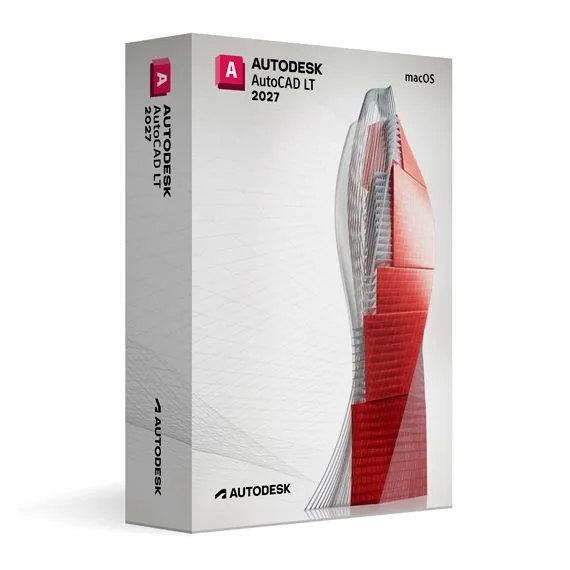

Autodesk AutoCAD LT 2027 for MacOS (Education)
€ 160,98
AutoCAD LT 2027 for Mac (Education)
Op voorraad
Levering per e-mail, doorgaans binnen enkele minuten na betaling
Belangrijkste functies
Buy Autodesk AutoCAD LT 2027 for Mac (Education) License Key on SuperKeyStore: original product key, free technical support and a replacement-or-refund guarantee for faulty keys. 2D drafting, dimensions, annotations and layers in a native Mac interface with DWG compatibility, for learning and personal use. Delivered by email, usually within minutes of payment.
Buy Autodesk AutoCAD LT 2027 for Mac (Education)
You get an Autodesk AutoCAD LT 2027 for Mac (Education) license key, the download link and activation steps by email. Autodesk AutoCAD LT 2027 for Mac (Education) is an educational license of Autodesk’s 2D drafting software for macOS, used for architectural plans, engineering schematics and technical drawings in DWG format. No box or DVD is shipped.
| Kenmerk | Waarde |
|---|---|
| Product | Autodesk AutoCAD LT 2027 for MacOS (Education) |
| Fabrikant | Autodesk |
| Categorie | AutoCAD |
| Platform | macOS |
| Levering | License key and download link by email |
What is AutoCAD LT 2027 for Mac?
AutoCAD LT 2027 for Mac is the macOS version of Autodesk’s 2D drafting software. It runs natively on Apple computers and uses a Mac-style interface. This edition is an educational license for personal and non-commercial use. It has the same features as the commercial version and adds no watermark to drawings.
What can you draw with AutoCAD LT 2027 for Mac?
You can draw precise 2D plans, schematics and technical drawings. Typical tasks include:
- Architectural plans: floor plans, sections and elevations.
- Engineering schematics: layouts for mechanical and electrical systems.
- Dimensions and annotations: measurements, notes and leaders that explain the design.
- Layers and object properties: keep large drawings ordered.
- DWG files: exchange drawings with colleagues on Windows or Mac.
What is the difference between the Mac and Windows versions?
Both versions open the same DWG files, but the Mac version uses a macOS interface and has a slightly smaller feature set. The Mac release follows Apple conventions such as the menu bar and trackpad gestures. Some Windows features, such as certain customization options, are missing on Mac. Learners on a PC can choose Autodesk AutoCAD LT 2027 for Windows.
Who can use this educational edition?
Students, educators and hobbyists who learn 2D CAD on a Mac can use it. It fits academic projects and personal practice. Commercial work requires a commercial license. Users who also need 3D modeling can compare Autodesk AutoCAD 2027 for MacOS.
Why buy Autodesk AutoCAD LT 2027 for Mac (Education) from SuperKeyStore?
Buying Autodesk AutoCAD LT 2027 for Mac (Education) at SuperKeyStore includes:
- Original license: an original Autodesk AutoCAD LT 2027 for Mac (Education) license key, activated through Autodesk’s official activation.
- Education license: for students and teachers, for personal and non-commercial use.
- Platform: macOS.
- Email delivery: the license key and the official download link arrive by email, usually within minutes of payment (some orders get a security check of up to 24 hours).
- Free technical support: our team helps by email with installation and activation ([email protected]).
- Vervanging of terugbetaling: if the key does not work, you get a working key or your money back, as set out in our Terugbetalingsbeleid.
How do you redeem your Autodesk AutoCAD LT 2027 for Mac (Education) key?
You redeem the key in a few steps after the order email arrives. The redemption guide for Autodesk AutoCAD LT 2027 for Mac (Education) is:
- Open your order email: it contains your license details and the instructions for your Autodesk account.
- Sign in to (or create) your free Autodesk account at accounts.autodesk.com as described in the email.
- Download AutoCAD LT from your Autodesk account (Products and Services) or with the official link in your email.
- Run the installer, then start AutoCAD LT and sign in with the same Autodesk account to activate it.
Your key also stays in your order email and under Mijn account.
Systeemvereisten
| Besturingssysteem | One of the three most recent macOS versions |
|---|---|
| Processor | Apple silicon (M series) or 64-bit Intel |
| Geheugen (RAM) | 8 GB (16 GB recommended) |
| Schijfruimte | 6 GB |
| Beeldscherm | 1920 x 1080 or Retina display |
| Internet | Required for download and activation |
Downloaden en activeren
Download Autodesk AutoCAD LT 2027 for MacOS with SuperKeyStore
Buying Autodesk AutoCAD LT 2027 for MacOS takes a minute: add it to your cart, pay through our secure, encrypted checkout and you receive your product key and the official download link by email, usually within minutes. Everything you need is in your order email, together with these instructions.
How to install and activate Autodesk AutoCAD LT 2027 for MacOS
- Open your order email: it contains your license details and the instructions for your Autodesk account.
- Sign in to (or create) your free Autodesk account at accounts.autodesk.com as described in the email.
- Download AutoCAD LT from your Autodesk account (Products and Services) or with the official link in your email.
- Run the installer, then start AutoCAD LT and sign in with the same Autodesk account to activate it.
Stuck at any step? Email [email protected] with your order number and a screenshot. Our support is free, and if a key does not work we send a replacement or refund you, as set out in our Terugbetalingsbeleid.
Why choose Autodesk AutoCAD LT 2027 for MacOS
AutoCAD LT is a 2D CAD drafting software for architects, engineers, technicians, students and anyone who produces detailed 2D drawings. Highlights: Precise 2D drafting, dimensioning and annotation tools; Native DWG file format, compatible with every AutoCAD product; Blocks, layers, xrefs and dynamic blocks to work faster.
More software at SuperKeyStore
Popular with this product: Windows 11 Pro, Office 2024 Professional Plus, Microsoft 365 Personal. Browse all Microsoft Office, antivirus software, money-saving bundles en Microsoft apps.
Digitale levering
All our products are delivered digitally by email: no shipping costs, no waiting for a parcel and no packaging waste. Your key is stored in your order email and, if you created one, in your account, so you can find it again at any time.
Veelgestelde vragen
What is an educational license?
It is a license for personal, non-commercial use such as learning, teaching and personal projects. AutoCAD LT has the full functionality of the commercial version and the output is identical, without watermarks.
Can I use it for commercial work?
No. The educational license may not be used for paid or commercial projects. Contact us if you need a commercial license.
Which operating system does it run on?
This edition runs on macOS. It does not run on Windows; choose the matching edition for another system.
On how many computers can I use it?
The license is for 1 user. Contact us before buying if you need licenses for several people.
Where do I download the software?
From the official Autodesk website or the official link in your order email. The Download & Activation tab explains every step.
Do I need an internet connection?
Yes, to download and activate the software and to sign in regularly.
Hoe snel ontvang ik mijn key?
By email, usually within minutes of payment. Some orders go through a short security check that can take up to 24 hours. Please check your spam folder too.
Wat als mijn key niet werkt?
Email us your order number and a screenshot of the error. We send a replacement or refund you, as described in our Terugbetalingsbeleid.
Nog meer vragen? Bekijk onze Veelgestelde vragen, Terugbetalingsbeleid of neem contact met ons op.
- Gratis ondersteuningPer e-mail
- Snelle leveringDoorgaans binnen enkele minuten
- Veilige betalingenVersleuteld afrekenen
- Digitale licentiesOfficiële activering
- Defecte key?Vervanging of terugbetaling
Voor jou geselecteerd
Alles bekijken Autodesk AutoCAD Raster Design 2027 for Windows (Education)€ 160,98+ Toevoegen
 Graphisoft Archicad 27 for Windows€ 80,98+ Toevoegen
 Ashampoo 3D CAD Professional 12 Oorspronkelijke prijs was: € 106,98.€ 61,98Huidige prijs is: € 61,98.+ Toevoegen
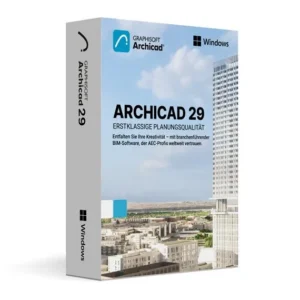 Graphisoft Archicad 29 for Windows€ 133,98+ Toevoegen
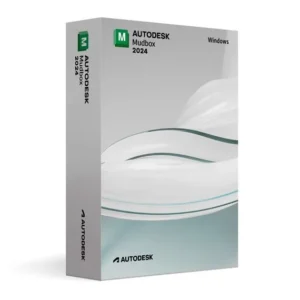 Autodesk Mudbox 2024 for Windows (Education)€ 66,98+ Toevoegen
Beoordelingen
Er zijn nog geen beoordelingen.