
Antiviruslicenties
Antivirus licenses protect Windows, Mac, Android and iOS devices against viruses, ransomware and phishing. This category holds home antivirus, internet security, total security, VPN and business endpoint licenses from the major security brands.
Browse Antivirus Licenses by type: McAfee-antiviruslicenties, Avast-antiviruslicenties, Licenties voor zakelijke beveiliging, Norton-antiviruslicenties, AVG-antiviruslicenties, Bitdefender-antiviruslicenties, ESET-antiviruslicenties, Kaspersky-antiviruslicenties, VPN-licenties, Panda-antiviruslicenties.
- 2
- 3
- 4
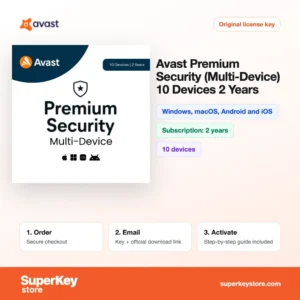
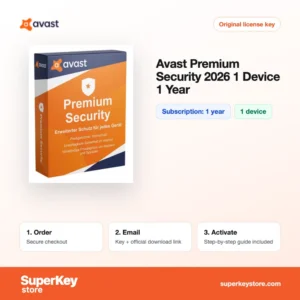
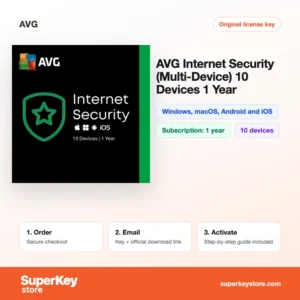
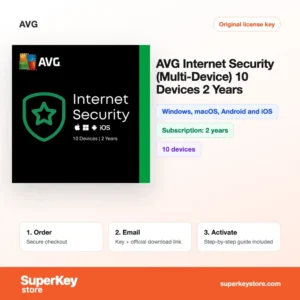
Buy Antivirus Licenses at SuperKeyStore
An antivirus license activates the full, paid version of a security suite. It adds real-time scanning, ransomware protection, web filtering and, in many plans, a VPN, password manager or parental controls. Our range covers Norton, Bitdefender, McAfee, ESET, Kaspersky, Avast, AVG, F-Secure, Panda and business endpoint products such as ESET PROTECT Entry (5-10 Devices, 1 Year).
Households can cover every phone and laptop with one plan like Norton 360 Deluxe (5 devices, 1 year) of McAfee+ Premium Family (1 year, unlimited devices). You receive an activation code and the link to the vendor's download page by email, usually within minutes.
Why buy an antivirus license?
The free protection built into operating systems covers the basics. A paid suite adds layers that matter for families and small companies:
- Ransomware shields: Suites from Bitdefender, ESET and Norton watch protected folders and block programs that try to encrypt your files.
- Safe banking and shopping: Web protection blocks known phishing sites, and some products open banking pages in a separate, hardened browser.
- One plan for all devices: Multi-device licenses protect Windows, macOS, Android and iOS from one account, so you can add or remove a device yourself.
- Privacy extras: Many total security plans include a VPN for public Wi-Fi, a password manager and dark web monitoring for your email addresses.
- Central management for businesses: Endpoint products such as ESET PROTECT or Kaspersky Next give an administrator one console to deploy, update and monitor every company device.
What are the main features of antivirus software?
Modern security suites combine several protection layers. The most important are:
1. Real-time malware scanning
The scanner checks files when they are opened, downloaded or copied and blocks known and suspicious threats. This protects everyone who downloads files or opens email attachments.
2. Ransomware protection
Behavior monitoring stops programs that start encrypting many files at once. Some suites keep backups of protected folders so files can be restored.
3. Web and phishing filter
The browser extension warns before you open fraudulent shops, fake bank pages and links in phishing emails. Online shoppers and older family members benefit most.
4. Secure VPN
Many total security plans include a VPN that encrypts traffic on public Wi-Fi. Travellers and remote workers use it in hotels, cafes and airports.
5. Parental controls and password manager
Family plans filter content, limit screen time and store passwords in an encrypted vault. Parents can manage children's devices from one account.
6. Identity monitoring
McAfee+ and Norton 360 plans watch for your email address and other data in leaked databases and alert you so you can change passwords.
Which antivirus product is right for you?
Count your devices first, then decide if you only need malware protection or also want a VPN, cloud backup and identity monitoring. This table compares common options.
| Product | Best for | Platform | Looptijd | Apparaten |
|---|---|---|---|---|
| Bitdefender Total Security 2026 (1 device, 1 year) | A single PC or Mac with strong malware detection | Windows, macOS, Android, iOS | 1 year | 1 apparaat |
| Norton 360 Deluxe (5 devices, 1 year) | Families who want VPN and cloud backup | Windows, macOS, Android, iOS | 1 year | 5 apparaten |
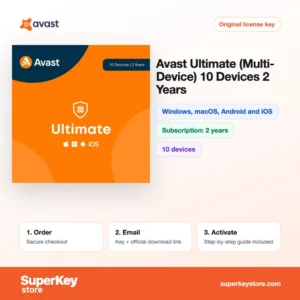
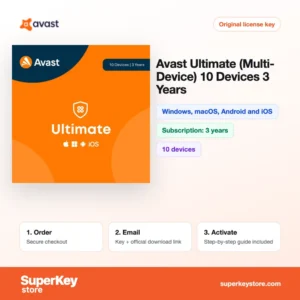
| Avast Ultimate (10 devices, 3 years) | Large households that prefer a long term | Windows, macOS, Android, iOS | 3 years | 10 apparaten |
| McAfee+ Advanced Individual (1 year, unlimited devices) | One person with many devices and identity monitoring needs | Windows, macOS, Android, iOS | 1 year | Unlimited |
| ESET HOME Security Essential 2026 | Light, fast protection for one device | Windows, macOS, Android | 1 year | 1 apparaat |
| ESET PROTECT Advanced (1 year, 5-10 users) | Small businesses with central management | Windows, macOS, Linux, mobile | 1 year | 5-10 users |
What are the system requirements for antivirus software?
Most current security suites run on any supported Windows, macOS, Android or iOS version; check each product's System Requirements tab for exact values.
| Onderdeel | Minimaal |
|---|---|
| Besturingssysteem | Windows 10 or 11; recent macOS; recent Android and iOS versions |
| Processor | Any current processor supported by the operating system |
| Geheugen (RAM) | 2 GB or more recommended on Windows |
| Schijfruimte | About 1-3 GB depending on the product |
| Other | Internet connection for activation and signature updates |
How do you download and activate antivirus software?
- Order: Pick the product with the right number of devices and term, then check out.
- Receive your email: We send the activation code and download link by email, usually within minutes. In some cases a security check delays the email by up to 24 hours.
- Download: Download the installer from the security vendor's official website, for example Norton, Bitdefender or ESET.
- Activate: Enter the code in the program or in your vendor account, then install the app on your other devices from that account.
What happens to my antivirus software license if I reinstall or format my computer?
Your subscription is stored in your account with the security vendor, not on the PC. After a format you download the installer again, sign in to your Norton, Bitdefender, McAfee or ESET account and the device is protected for the remaining term. Some products ask you to enter the activation code again instead.
Can I move a antivirus software license to a new PC or Mac?
Yes, open the vendor's account dashboard, remove the old device and install the software on the new PC or Mac. Multi-device plans cover Windows, macOS, Android and iOS, so moving from Windows to Mac uses the same license. The term does not restart when you move it.
What if my Antivirus key does not work?
Write to our support with your order number and a screenshot of the message shown by the security software. We send a replacement code or refund the order as set out in the Terugbetalingsbeleid.
Frequently asked questions about antivirus software
Do I still need antivirus with Microsoft Defender?
Microsoft Defender gives solid basic protection on Windows. A paid suite adds features Defender lacks, such as a VPN, password manager, parental controls and protection for Mac and mobile devices in one plan.
Can I install one license on Windows and Mac?
Yes, multi-device plans like Norton 360 or Bitdefender Total Security cover Windows, macOS, Android and iOS. Single-platform products are marked as such on the product page.
What happens when the subscription ends?
Protection stops receiving updates and the program asks for renewal. You can then buy a new code and enter it in the same account.
Can I add a new code before the old one expires?
With most vendors, yes; the remaining time is usually added to the new term. Check the vendor's renewal rules if you are unsure.
Is antivirus for business different from home antivirus?
Business products are licensed per user or device and include a management console. Home licenses are meant for private use.
Does a VPN replace antivirus?
No, a VPN encrypts your connection but does not scan files for malware. Many buyers combine both or choose a suite that includes a VPN.
Can I run two antivirus programs at once?
No, two real-time scanners can conflict and slow the PC. Uninstall the old product before installing a new one.
Does antivirus slow down my computer?
Current suites have little impact on everyday work. Full scans use more resources, so schedule them when you are not working.
Do Macs need antivirus?
macOS has built-in protections, but Macs can still receive phishing and adware. A suite adds web filtering and protects your other devices too.
Browse Antivirus Licenses by type
Shop by brand or use: Avast-antiviruslicenties, AVG-antiviruslicenties, Bitdefender-antiviruslicenties, ESET-antiviruslicenties, Kaspersky-antiviruslicenties, McAfee-antiviruslicenties, Norton-antiviruslicenties, Panda-antiviruslicenties, VPN-licenties en Licenties voor zakelijke beveiliging.
To set up a complete PC, also see Windows-licenties en Microsoft Office-licenties.
Wat krijg je als je Antivirus-licenties koopt bij SuperKeyStore?
Je ontvangt een e-mail met je licentiesleutel, de officiële downloadlink en stapsgewijze activeringsinstructies. Bij elke bestelling krijg je:
- Licentiesleutel: de productcode voor de editie, looptijd en het aantal apparaten op de productpagina.
- Officiële download: een link naar het installatieprogramma op de website van de fabrikant.
- Activeringshandleiding: de stappen om de software te installeren en te activeren, ook te vinden op het tabblad “Downloaden en activeren”.
- Bestelgeschiedenis: de key blijft beschikbaar in je bevestigingsmail en onder Mijn account.
- Ondersteuning per e-mail: hulp bij installatie of activering van ons supportteam.
Waarom softwarelicenties kopen bij SuperKeyStore?
SuperKeyStore verkoopt digitale licentiesleutels met levering per e-mail, veilig afrekenen en duidelijke regels bij een defecte key. Dit zijn de belangrijkste redenen om hier te bestellen:
- Digitale levering: geen verzending; de key komt doorgaans binnen enkele minuten na betaling per e-mail binnen, en sommige bestellingen krijgen een veiligheidscontrole die tot 24 uur kan duren.
- Duidelijke productinformatie: op elke productpagina staan de editie, het platform, de licentieduur en het aantal apparaten.
- Vervanging of terugbetaling: werkt een key niet, dan krijg je een werkende key of je geld terug, zoals beschreven in het Terugbetalingsbeleid.
- Veilig betalen: betalingen worden verwerkt door de betaalprovider; SuperKeyStore slaat geen volledige kaartgegevens op.
Andere softwarelicenties in de catalogus van SuperKeyStore
SuperKeyStore verkoopt ook licenties in deze categorieën:
- Windows-licenties: Windows 11-licenties · Windows 10-licenties
- Microsoft Office-licenties: Office 2024-licenties · Licenties voor Microsoft Office voor Mac · Licenties voor Microsoft Word, Excel en Office-apps · Microsoft Project-licenties · Microsoft Visio-licenties
- Microsoft 365-licenties
- Antiviruslicenties: Norton-antiviruslicenties · McAfee-antiviruslicenties · Bitdefender-antiviruslicenties · ESET-antiviruslicenties · Avast-antiviruslicenties · AVG-antiviruslicenties · Panda-antiviruslicenties · VPN-licenties · Licenties voor zakelijke beveiliging
- Windows Server-licenties & CAL’s: Windows Server-CAL’s en RDS-CAL’s · Microsoft SQL Server-licenties · Exchange & SharePoint Server-licenties
- Licenties voor CAD- en 3D-software: Autodesk-softwarelicenties · Graphisoft Archicad-licenties · SolidWORKS-licenties
- Licenties voor grafische en fotosoftware: Adobe-softwarelicenties · CorelDRAW-licenties
- Licenties voor PDF- en Office-tools
- Licenties voor back-up- en dataherstelsoftware
- Licenties voor video- en muzieksoftware
- Licenties voor virtualisatiesoftware
- Office- en Windows-bundels